The app for staff and crew
unlisted ops
Run the bar and the door from a phone. Sell drinks and tickets, take card payments, keep tabs and check people in.
On iPhone now. Android is coming soon.
On the night
The bar and the door on one phone.
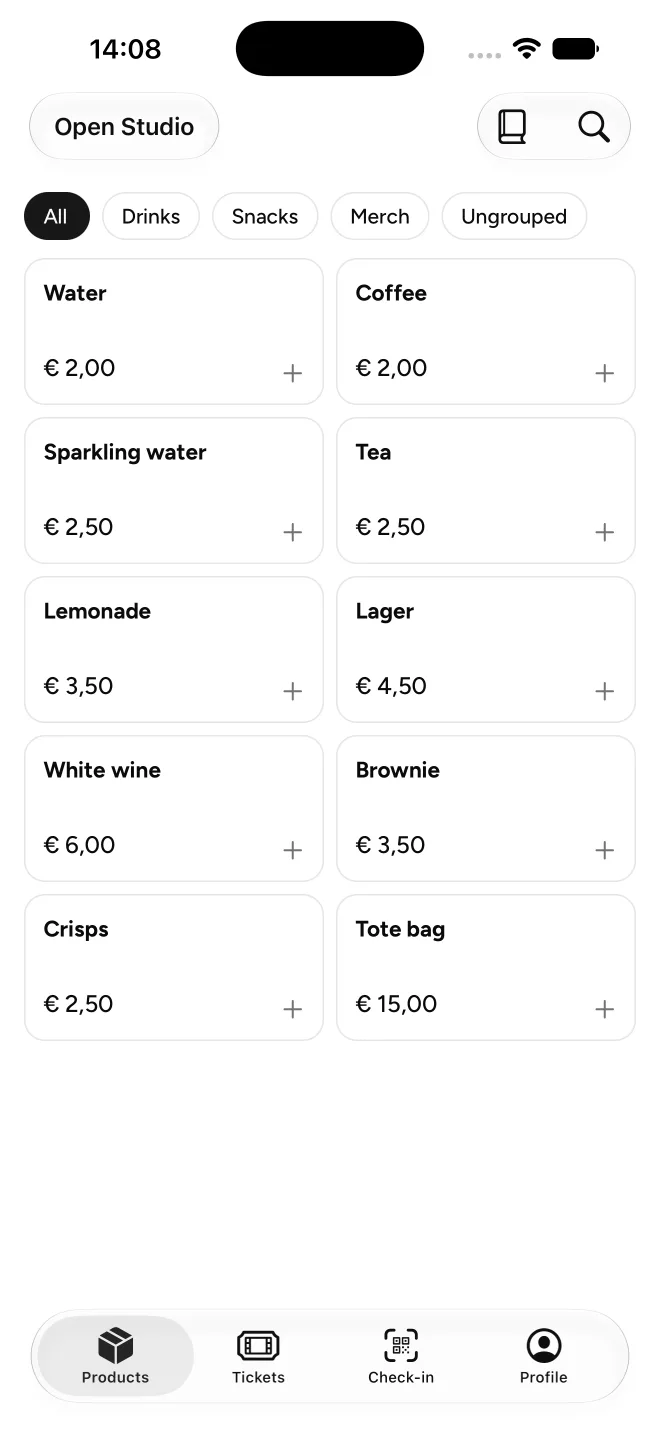
Pick the event you're working and start selling. Products, tickets and guest lists come from your dashboard, and every sale ends up in the same report.
What you can do
01
Sell at the bar
Tap drinks, snacks and merch from your own product list, grouped the way you set it up.
02
Card or cash
Take card payments on your Mollie terminal, or record a cash payment.
03
Tickets at the door
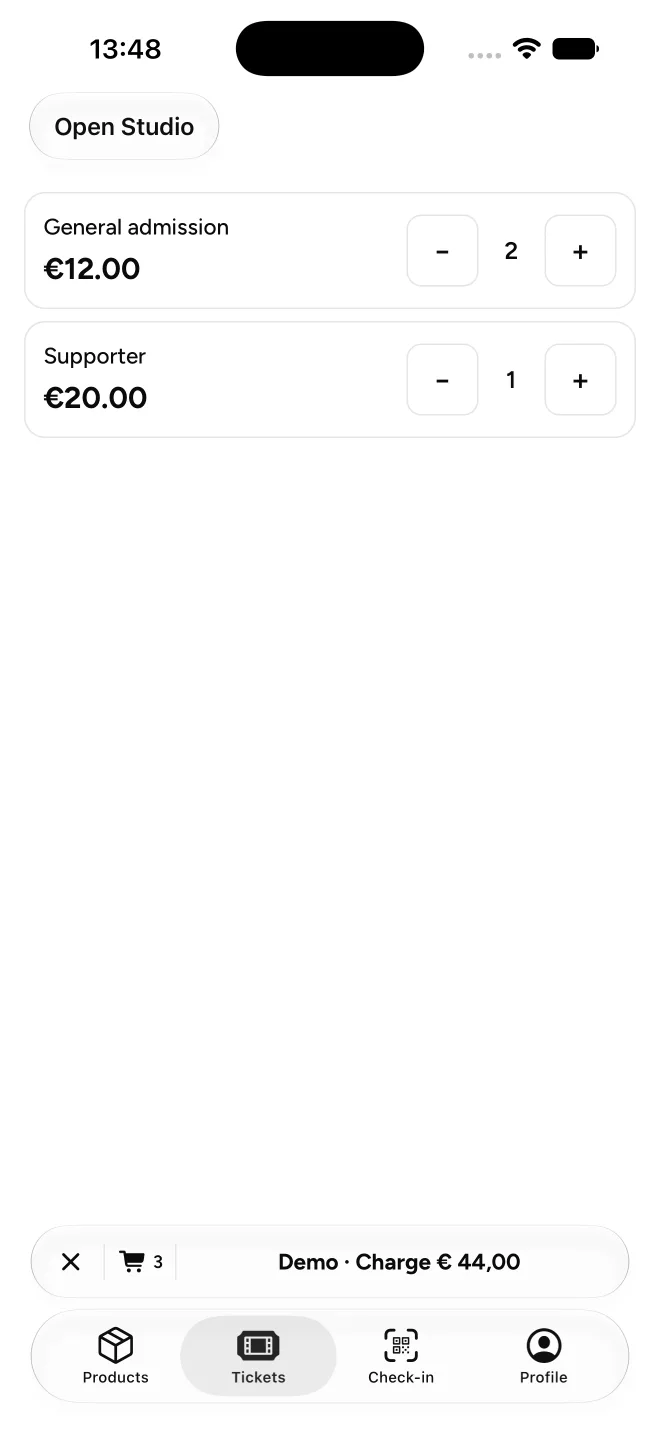
Sell the event's tickets at the door, with the same card and cash payments as the bar.
04
Check people in
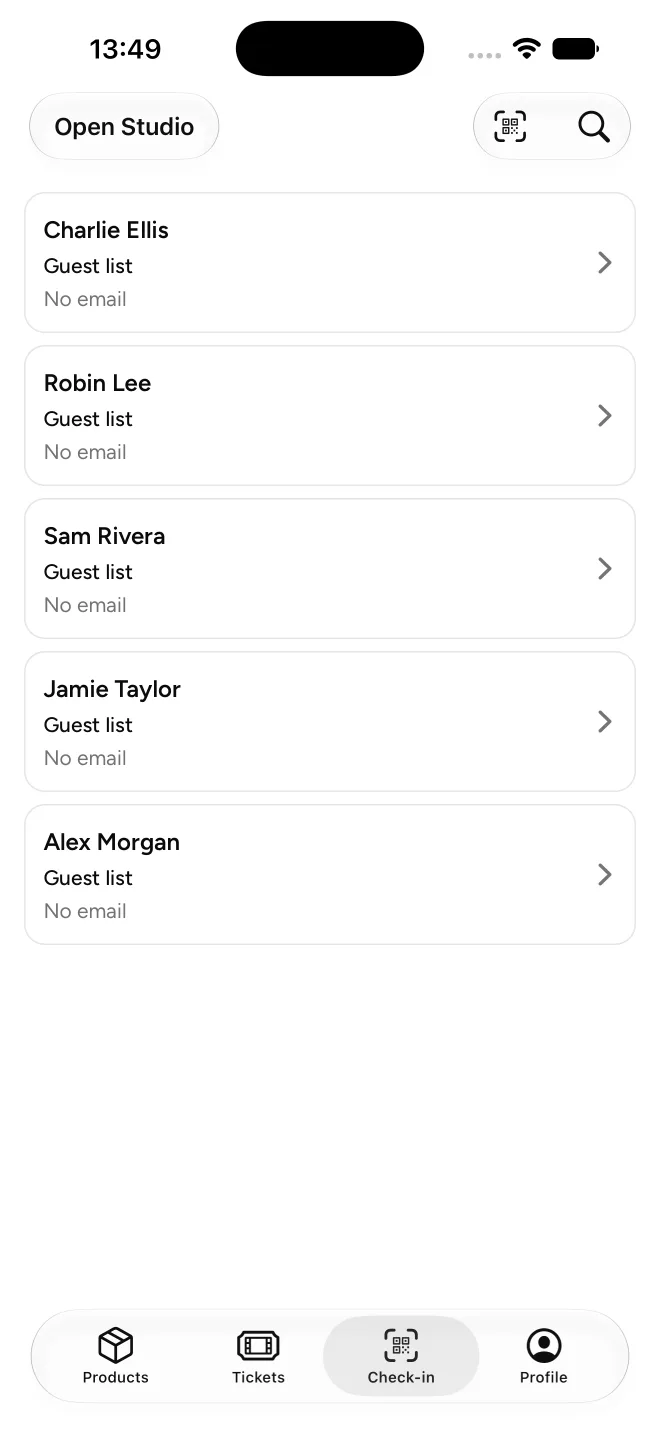
Scan a ticket's QR code, or search the list by name. Guest list passes are there too.
05
Tabs
Open a tab for an artist, the crew or a table, add drinks as they go out, and set a spending cap.
06
Settle up
Staff settle a tab on the card terminal, at the full total or a custom amount, without charge, or against a fee you owe.
Who can use it
Your staff, and the crew you choose.
Choose which crew roles get the app in your dashboard. You can change it at any time.
01
Staff
Everyone on your team in unlisted can sign in and use the whole app.
02
Crew at their events
Give a crew role access at their events, and its crew can sign in from 2 hours before until 6 hours after the events they work.
03
Crew any time
Or give a role access any time, with or without an event.
04
Kept for staff
Refunds and settling tabs stay with staff. Crew can sell, check people in and add to tabs.
Getting started
01
Download the app
Get unlisted ops from the App Store.
02
Sign in with your email
Use the email address your organisation has for you. If you work for more than one, choose which to open.
03
Or scan an access QR
Scan an access QR code from your organisation instead of signing in. It opens only what the code was made for.
Questions
- Which phones does it work on?
- On iPhone now. Android is coming soon.
- Do we need a card terminal?
- Only for card payments. Connect a Mollie terminal to your organisation and choose it in the app. Cash needs nothing extra.
- Does it work without internet?
- No. The phone needs a connection to take payments and check people in.
- Where do we set up products and tickets?
- In your unlisted dashboard. Products, prices, tickets and guest lists show up in the app straight away.
- Someone on our crew can't sign in. What now?
- Check they use the email address you have for them, and that one of their crew roles gives access. With access at their events, they can only sign in around the events they work.
01
02
03
04
05
Get the app
Bring the dashboard to the bar.
Download unlisted ops for your staff and crew. New to unlisted? Get in touch to set it up for your space.